

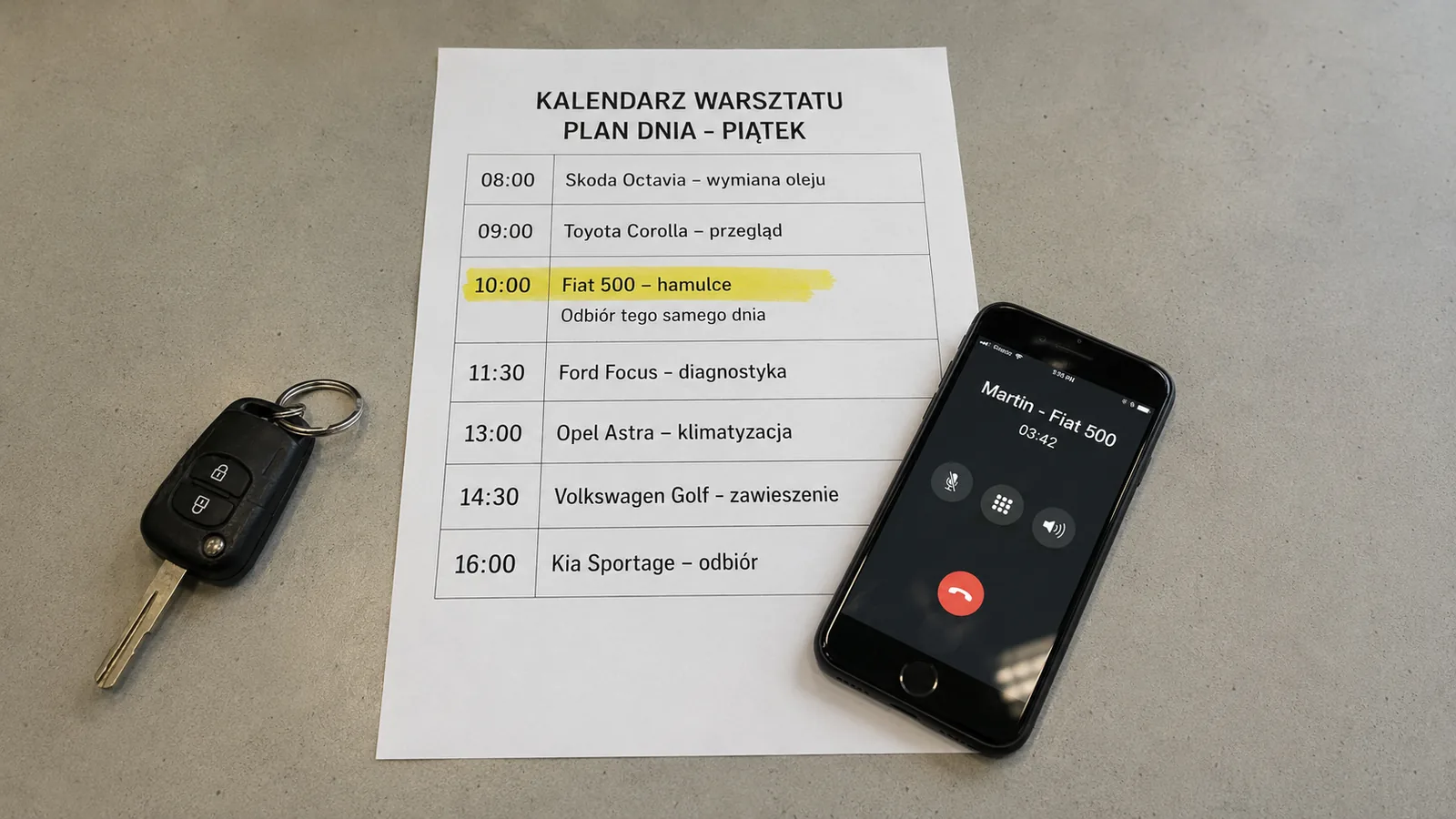
A calendar for an automotive workshop should help you plan the day. But if every appointment has to be remembered first and entered manually later, it soon becomes another chore.
The phone rings while a vehicle is on the lift. The customer describes a problem, asks about Friday and says they need the car back that day. The mechanic puts the phone down and returns to work. An hour later, they remember the appointment, but not necessarily all the conditions.
The most important change is not choosing a more elaborate calendar. The appointment should reach it during the conversation, not when someone later finds time to copy a note.

Why the calendar stops being up to date
Usually, the problem is not the calendar's features but the journey the information has to take. Some appointments are in the system, some are on scraps of paper and the rest are in employees' private messages. The owner sees a free slot even though someone has already promised it to a customer.
A second problem arises when an entry contains only a phrase such as “Golf, brakes, Friday”. The mechanic does not know whether the customer wants a repair straight away, diagnosis only or a call with an estimate first. The appointment is saved, but the context of the conversation disappears.
The workshop therefore needs one place that shows both the date and the key details agreed.
What to capture during the call
A useful entry does not have to look like a lengthy form. It should be enough for someone who was not part of the conversation.
Most workshops need only:
- the customer's contact details and vehicle
- the reported symptom or planned service
- the check-in day and time
- whether the customer will wait or leave the vehicle
- constraints, such as same-day collection or contact before starting the repair
Do not enter a diagnosis that has not yet been made. If the customer says “something knocks when I turn”, that is the description that belongs in the appointment. The faulty part can be named after inspecting the vehicle.
The appointment should be created during the call
The simplest option is to enter the appointment directly during the phone conversation. This works well at a dedicated service desk, but less well when a mechanic answers with their hands full.
A second option is one queue of notes and a fixed time for entering them. It is still manual work, but at least everyone knows where to find requests and who is responsible for the calendar.
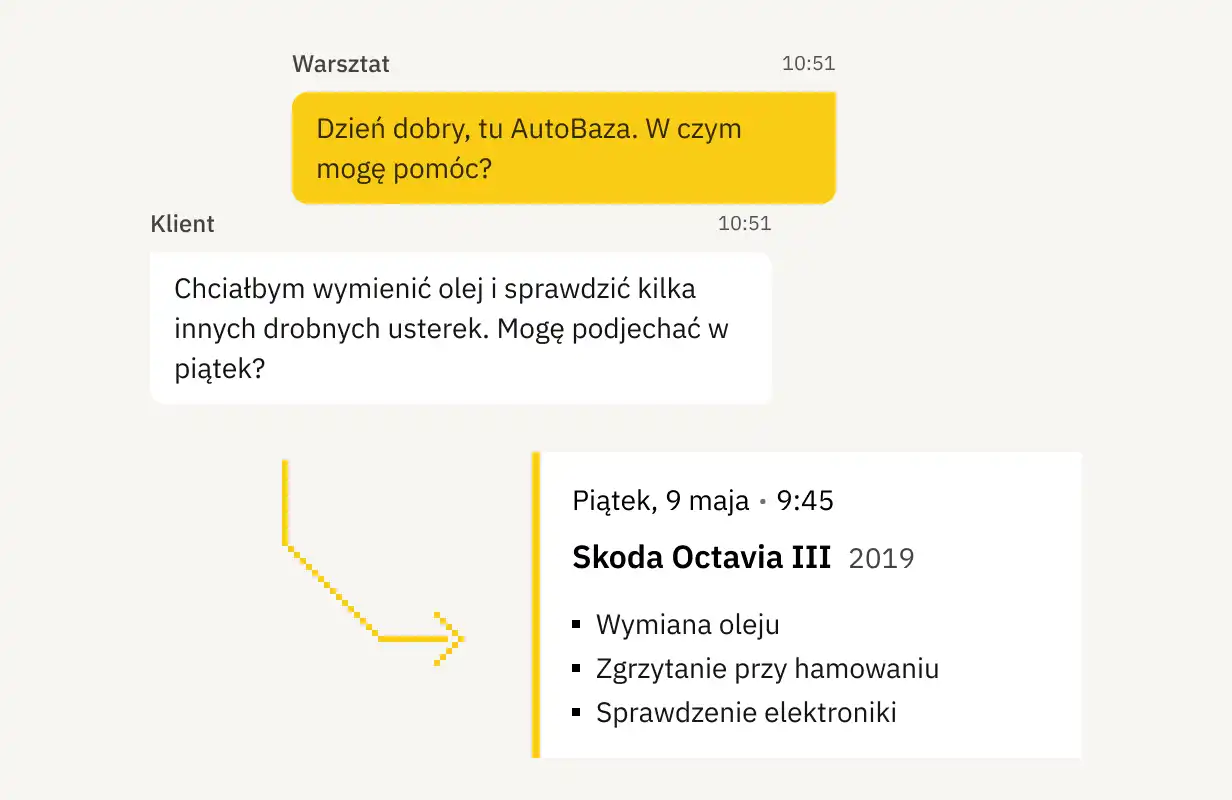
The third option is to create the appointment from the conversation. The system identifies the date and reason for the call and prepares an entry; the employee checks it instead of starting from scratch. Checking is still necessary, particularly if the customer changed the date or gave several alternatives.
Trade publication MotoFocus notes that online booking works well for services with predictable durations. For complex diagnosis, however, you cannot honestly guarantee a completion time. An entry should therefore distinguish vehicle check-in from the start and end of the repair. See: An online calendar in the workshop? (MotoFocus, in Polish).
How to plan a day that does not fall apart
A calendar filled to the minute works only until the first seized bolt or incorrectly matched part. Larger jobs need a buffer, and diagnosis should not automatically come with a guaranteed collection time.
The practical distinction is simple. Quick services can be scheduled in specific slots. Diagnosis and repairs with an unknown scope should reserve a flexible period. That way, one delay does not push every subsequent customer back.
A reminder before a longer appointment makes sense if a bay is reserved for several hours. There is no need for a series of messages. One confirmation gives the customer a chance to report a change earlier.
What to do when a customer changes the appointment
A change should not erase the history of earlier agreements. The safest process has four steps:
- Open the existing appointment rather than creating a new one from scratch.
- Change the date and add a short reason.
- Check whether the change affects parts, a bay or the promised collection time.
- Confirm the new date with the customer.
For cancellations, record whether the customer is withdrawing or wants to return later. The workshop can then avoid unnecessary calls asking why the vehicle did not arrive.
When a calendar alone is no longer enough
A calendar is enough while the appointment time is the most important information. If several people need the call history, earlier promises and open issues, a contact history is needed too. We cover the criteria in more detail in CRM for an automotive workshop.
PilotGo works before a conventional repair job is opened. After a call, it prepares a record and summary, and can create an appointment from the agreed time. It does not replace an employee's checks, but removes the most tedious copying.
The next person sees not only the time but also the reason for the visit and any requirement to contact the customer before starting the repair.
Learn more about connecting calls, appointments and agreed details on the PilotGo workshop software page.