

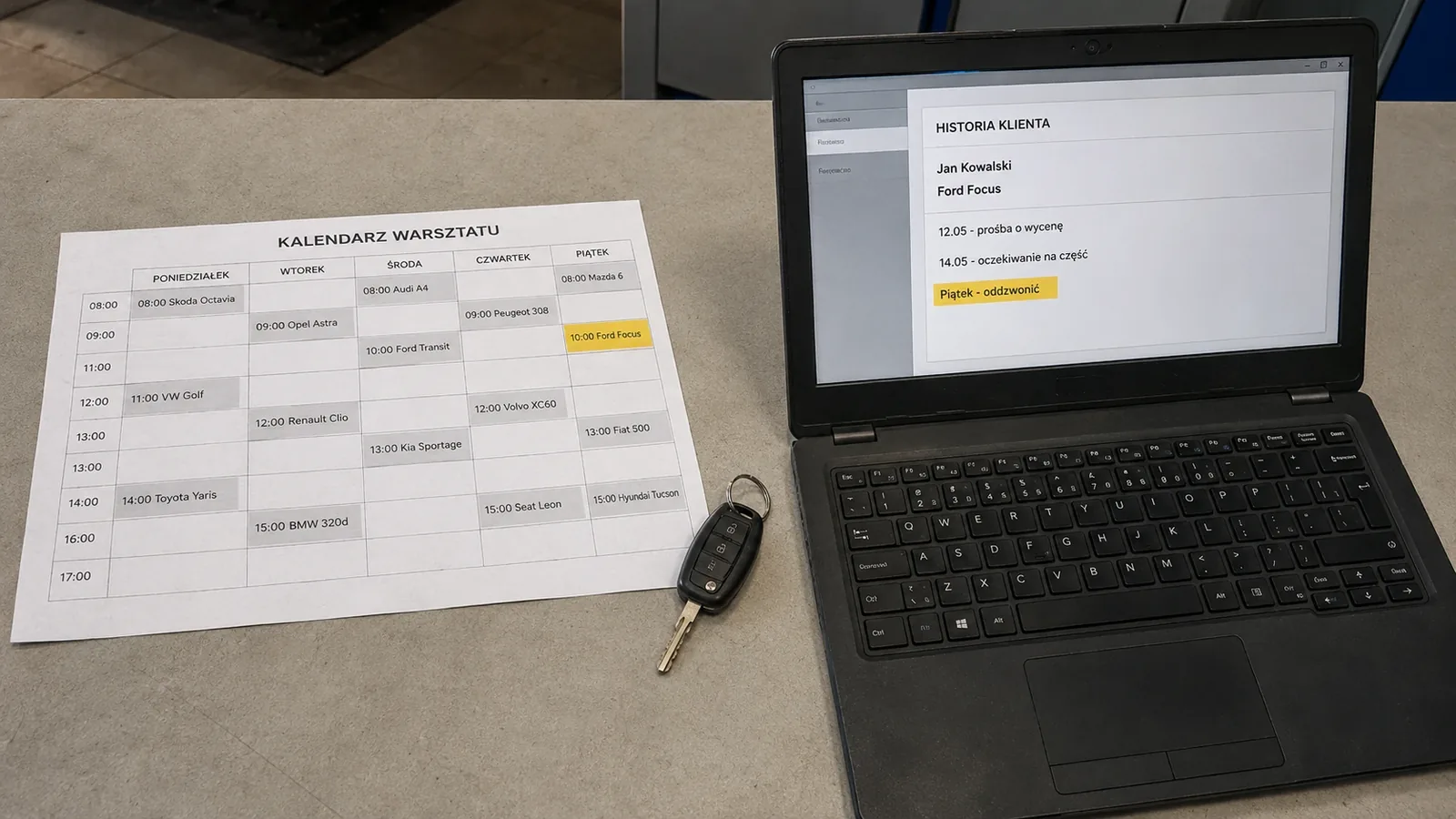
A calendar answers one question: when is the customer arriving? That is enough while the next appointment date is the most important information.
Over time, other questions arise. Who last spoke to the customer? What was promised? Is the customer waiting for a part, an estimate or a call after diagnosis? If the answers are on scraps of paper, in messages and in different people's memories, a calendar alone is not enough.
CRM for an automotive workshop does not have to be an elaborate sales system. Its basic job is to retain contact history and show what should happen next.
Calendars, repair orders and CRM serve different purposes
| Tool | The question it answers | What it lacks |
|---|---|---|
| Calendar | When should the customer arrive? | The full context of the conversation and earlier decisions |
| Repair order | What are we doing with this vehicle now? | A history of contacts unrelated to the current repair |
| CRM | What happened earlier, and who should follow up? | Stock, invoices and complete repair management, unless it is part of workshop software |
Three signs that a calendar is no longer enough
The customer tells the story from the beginning every time
Even after the customer gives their phone number, the employee does not know which vehicle the earlier contact concerned or why the customer called. The customer answers the same questions again while the employee tries to find a colleague's note.
Several people answer the phone
A simple system can work while one person remembers everything. Problems appear when that person goes on holiday, the team works shifts or more people answer calls. “I will call back when the part arrives” cannot exist only in the head of the person who answered.
Some calls do not result in an appointment
A customer asks for an estimate, waits for a leasing company's decision or wants to revisit the matter after the weekend. The issue is not in the calendar because no appointment has been booked. Without contact history, it returns to the workshop only if the customer calls again.
What is actually worth recording
CRM can easily become a form nobody wants to fill in. A few details are enough to start:
- the customer and vehicle concerned
- the reason for the call and the key agreement
- an open issue, such as an estimate or waiting for a part
- the person and time for the next contact, if agreed
A useful rule is to ask: will this information help another person in a week or six months? If not, it probably does not need to go into the customer history.
Notes should describe facts. Instead of “difficult customer”, write “the customer requires prior approval for any work above PLN 300, before parts are ordered”. The second version tells the employee how to handle the next conversation.
Data should not be kept indefinitely either. Poland's data protection authority, UODO, notes that information identifying a person should be deleted or reviewed periodically when it is no longer needed for its processing purpose. See: Must data retention periods be specified precisely? (UODO, in Polish).
How to introduce CRM without adding more clicks
- Start with situations where information currently gets lost. Review recent cases of searching for a note, a message or the person who remembers a call.
- Choose one place for the history. If some agreements remain in private messages, the new system will not solve the problem.
- Limit mandatory fields and record agreed details as close to the call as possible. Every extra field should serve a specific purpose.
CRM should help identify whom to call back, who is waiting for an estimate and which decision was postponed. If it provides charts but does not show the next action, the workshop still has to find information manually.
Once a week, the team should review open issues together and close those where the customer withdrew or the workshop has already made the agreed contact.
CRM, workshop software and PilotGo
Conventional workshop software helps manage repair jobs, parts, repair history, stock and billing. CRM organises the relationship and contacts before, during and after the repair. A workshop may need both layers.
PilotGo focuses on the start of telephone customer service: recordings, transcripts, appointments and agreed details. It provides call and contact history but is not a complete CRM, ERP or DMS. It does not handle stock, invoices, Poland's KSeF e-invoicing system or comprehensive task management. It can work alongside a conventional system and integrates with Motowarsztat.
Not every sentence from a call should enter the history unchecked. If a summary is ambiguous, an employee still needs to verify the date, cost and customer's decision.
Learn more about connecting calls, appointments and agreements on the PilotGo workshop software page.